Photography & film
Getting Started with Lightroom Classic (Adobe)
Sikhami InstituteEnglish
Free
Join for free- 32 video lectures (2h 57m)
- Certificate of completion
- Ask the teacher your doubts
- Watch on the web and in the Android app
About this course
Adobe's own short tutorials for organising and editing photos in Lightroom Classic, from importing to printing. Who it's for: photographers who want to edit and organise their pictures. These are the free, official videos of the "Getting Started with Lightroom Classic" playlist from the Adobe Lightroom YouTube channel (youtube.com/@lightroom). All videos belong to Adobe; Sikhami is not affiliated with Adobe and simply arranges the public playlist into a course, so you can learn one lesson at a time and keep track of your progress.
What you will learn
• Importing photos from a camera • Comparing, rating and filtering images • The basic panel, hue, saturation and luminance, and black and white • Local adjustments, the adjustment brush and removing dust spots • Presets, moving between Lightroom and Photoshop, and DSLR video • Printing, photo books and web galleries
Course content
1 section · 32 lectures · 2h 57m
1. Getting Started with Lightroom Classic | Adobe Lightroom
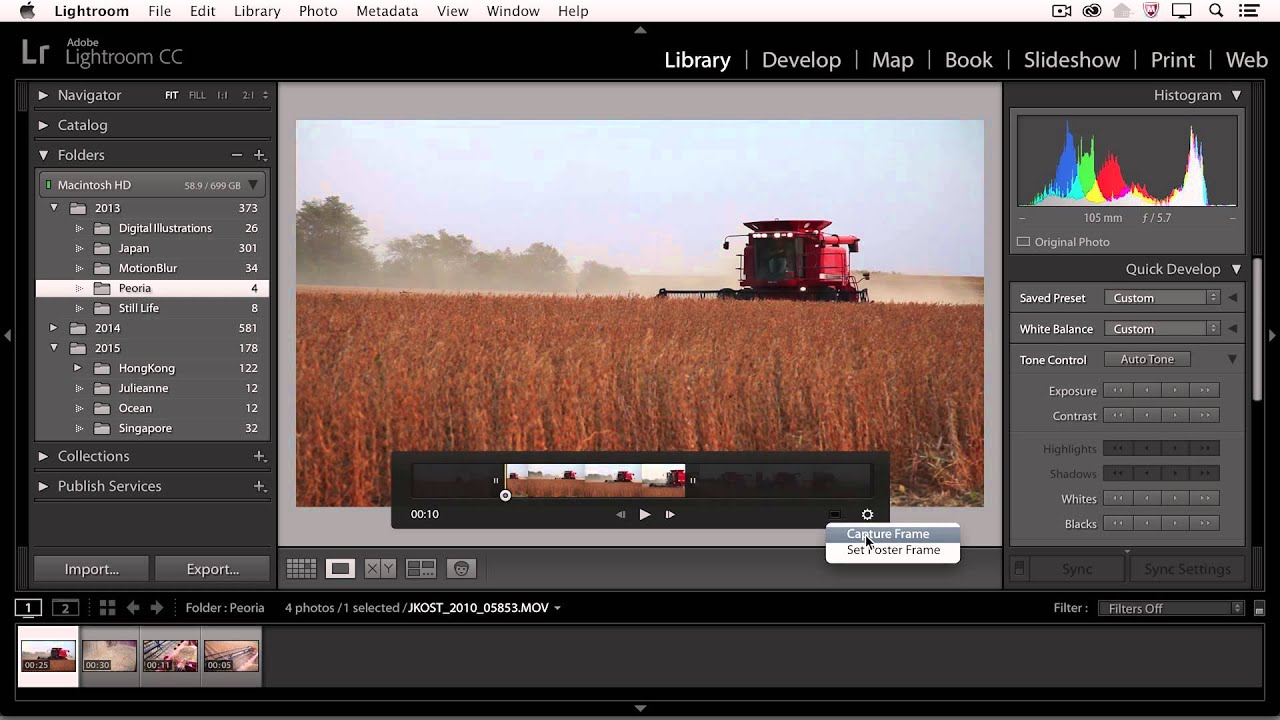
- Lightroom CC - Working with DSLR Video | Adobe Lightroom7m
- Lightroom CC - Organizing Your Photographs | Adobe Lightroom6m
- Lightroom CC - Moving Between Lightroom and Photoshop | Adobe Lightroom5m
- Lightroom CC - Enhancing Isolated Areas of an Image with the Adjustment Brush | Adobe Lightroom6m
- Lightroom CC - Exporting Images | Adobe Lightroom7m
- Lightroom CC - Print the Perfect Image | Adobe Lightroom4m
- Lightroom CC - Overview of the Lightroom Interface | Adobe Lightroom2m
- Lightroom CC - Importing Images From a Camera | Adobe Lightroom4m
- Lightroom CC - Creating and Saving Presets in the Develop Module | Adobe Lightroom5m
- Lightroom CC - Cropping Images | Adobe Lightroom5m
- Lightroom CC - Viewing and Selecting Images | Adobe Lightroom5m
- Lightroom CC - Book Module Basics | Adobe Lightroom8m
- Lightroom CC - Using the Radial and Graduated Filters | Adobe Lightroom7m
- Lightroom CC - Creating Custom Collections of Images | Adobe Lightroom8m
- Lightroom CC - Create Stunning Images using the Basic Panel | Adobe Lightroom4m
- Lightroom CC - Removing Dust Spots and Imperfections | Adobe Lightroom5m
- Lightroom CC - Comparing, Rating, and Prioritizing Images | Adobe Lightroom8m
- Lightroom CC - Removing Lens Distortions and Correcting Perspective | Adobe Lightroom4m
- Lightroom CC - Modifying Book Layouts | Adobe Lightroom9m
- Lightroom CC - Changing Hue, Saturation, and Luminance | Adobe Lightroom3m
- Lightroom CC - Publish a Slideshow | Adobe Lightroom8m
- Lightroom CC - Adding Vignette and Grain Effects | Adobe Lightroom5m
- Lightroom CC - Using the Web Module to Create Galleries | Adobe Lightroom3m
- Lightroom CC - Using Filters to Quickly Find Photos | Adobe Lightroom3m
- Lightroom CC - Publishing Collections of Photographs to Facebook | Adobe Lightroom2m
- Lightroom CC - Converting Photographs to Black and White | Adobe Lightroom2m
- Lightroom CC - Working with Text in The Book Module | Adobe Lightroom3m
- Lightroom CC - Web Collection Sharing Across Devices | Adobe Lightroom4m
- Lightroom CC - From Desktop to Mobile - An Inro to Lightroom for mobile | Adobe Lightroom8m
- Lightroom CC - Viewing Images on a Map | Adobe Lightroom5m
- Lightroom CC - Adding Color Toning to Black and White Images | Adobe Lightroom1m
- Lightroom CC - Printing a Contact Sheet of Photographs | Adobe Lightroom4m